FASHIONGO · CASE STUDY
Admin Dashboard
A connected reporting system that let vendors submit technical issues through Vendor Admin and gave FashionGo’s internal team a corresponding workflow in Web Admin.
COMPANY
FashionGo
ROLE
Interaction Design
TIMEFRAME
2018
TOOLS
Adobe XD
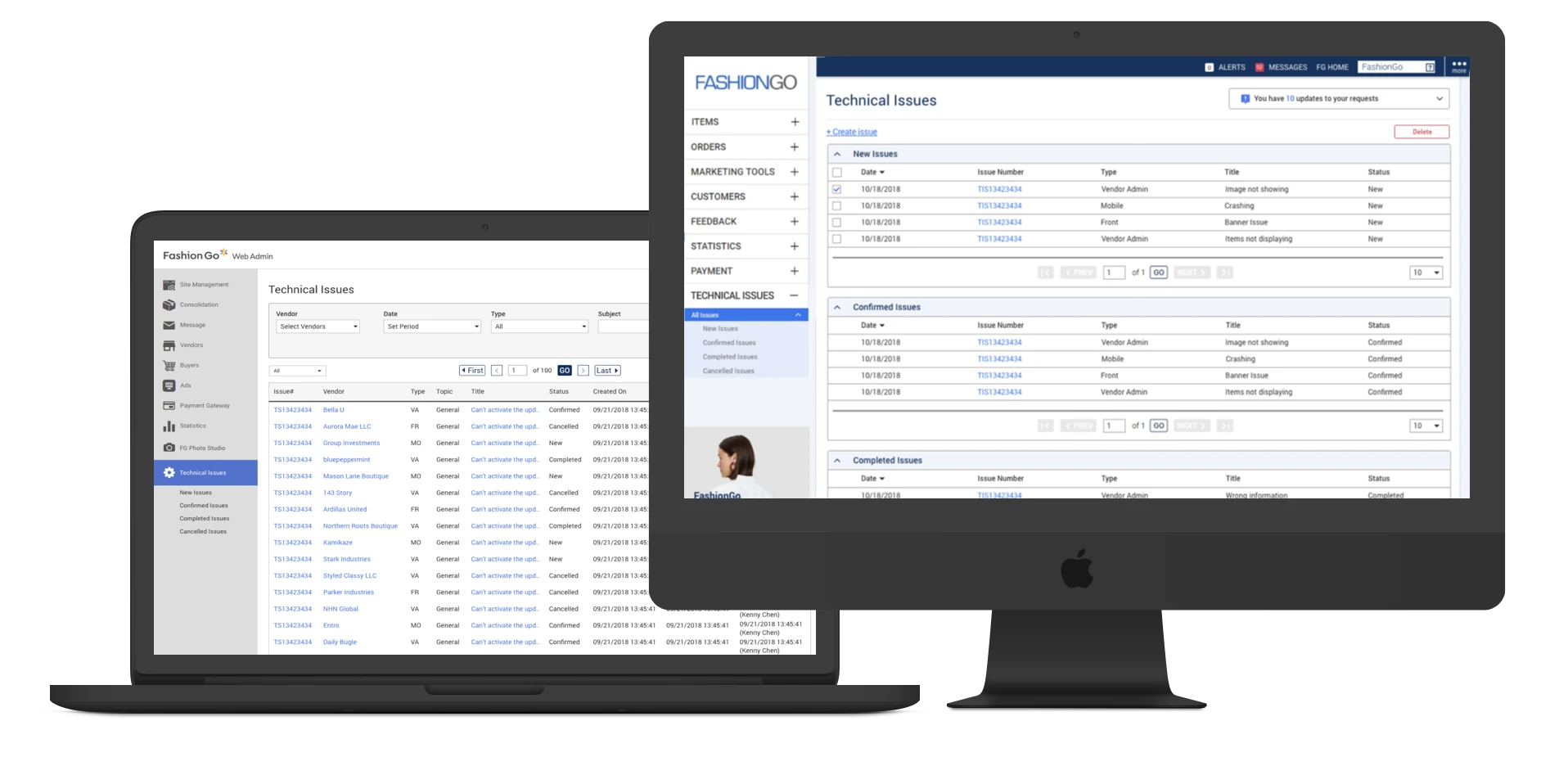
The connected Vendor Admin and Web Admin experience for reporting and managing technical issues.
Project overview
FashionGo used two administrative tools: Vendor Admin for wholesale vendors and Web Admin for internal employees. This project focused on how technical issues moved between those systems.
My role
I worked with the FashionGo UXD team, Vendor Relations, and development to design the connected issue-reporting experiences across Vendor Admin and Web Admin.
The handoff problem
When a vendor encountered a technical issue, they contacted Vendor Relations. Vendor Relations verified the problem, relayed it to development, and then carried updates back to the vendor. The process depended on repeated handoffs, with Vendor Relations acting as the middle layer.
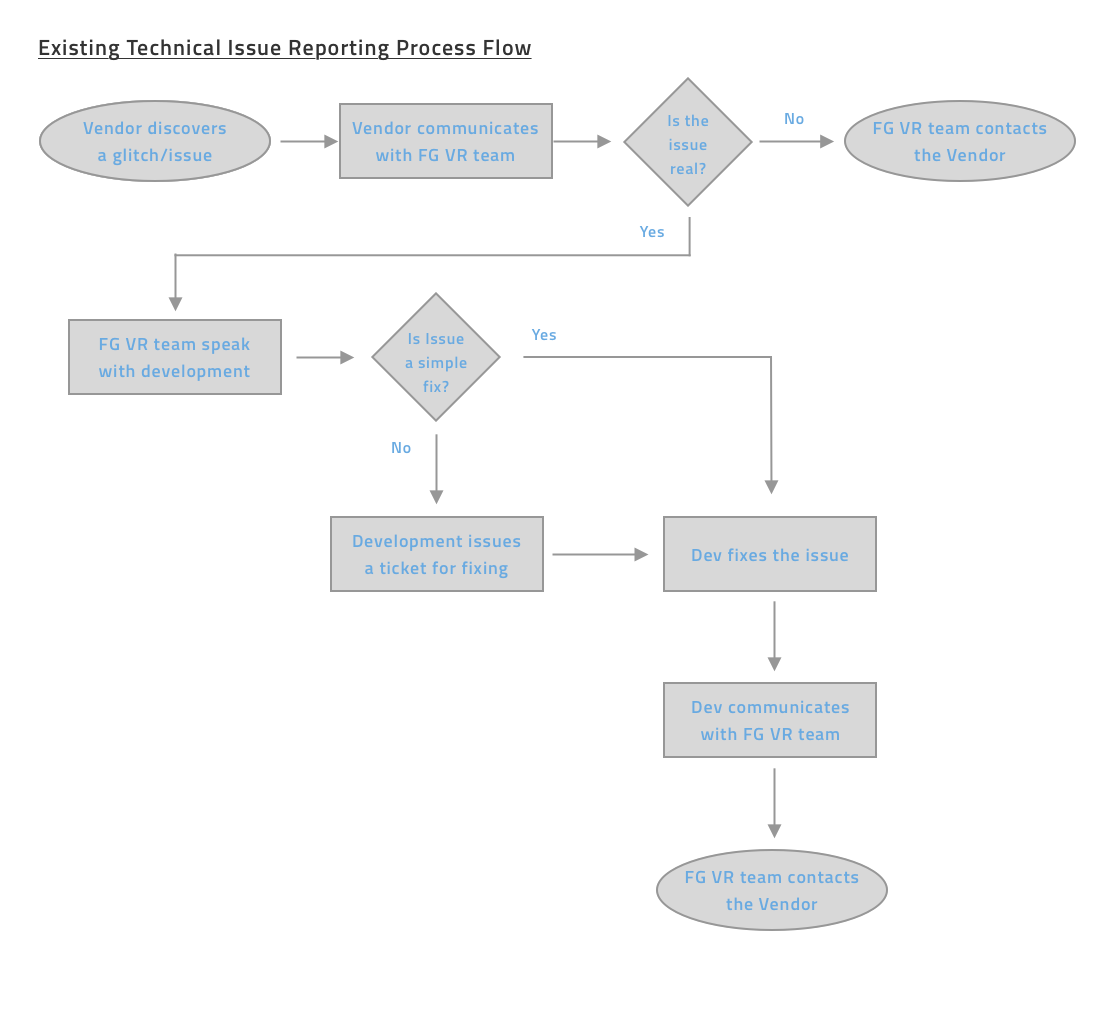
The existing workflow routed every issue through Vendor Relations before it reached development.
Connecting both sides of the workflow
The proposed flow connected the two admin systems directly. Vendors could create and follow an issue in Vendor Admin, while FashionGo’s internal team could review, manage, and update it in Web Admin. Status changes kept both sides aligned without relying on the same relay process.

The proposed workflow connected vendor reporting with internal issue management and status updates.
Designing the vendor experience
Vendor Admin organized the experience around three core moments: seeing reported issues, creating a new issue with supporting details and attachments, and following the issue through its detailed record.

The issue list gave vendors a persistent place to review their reported technical issues and current statuses.
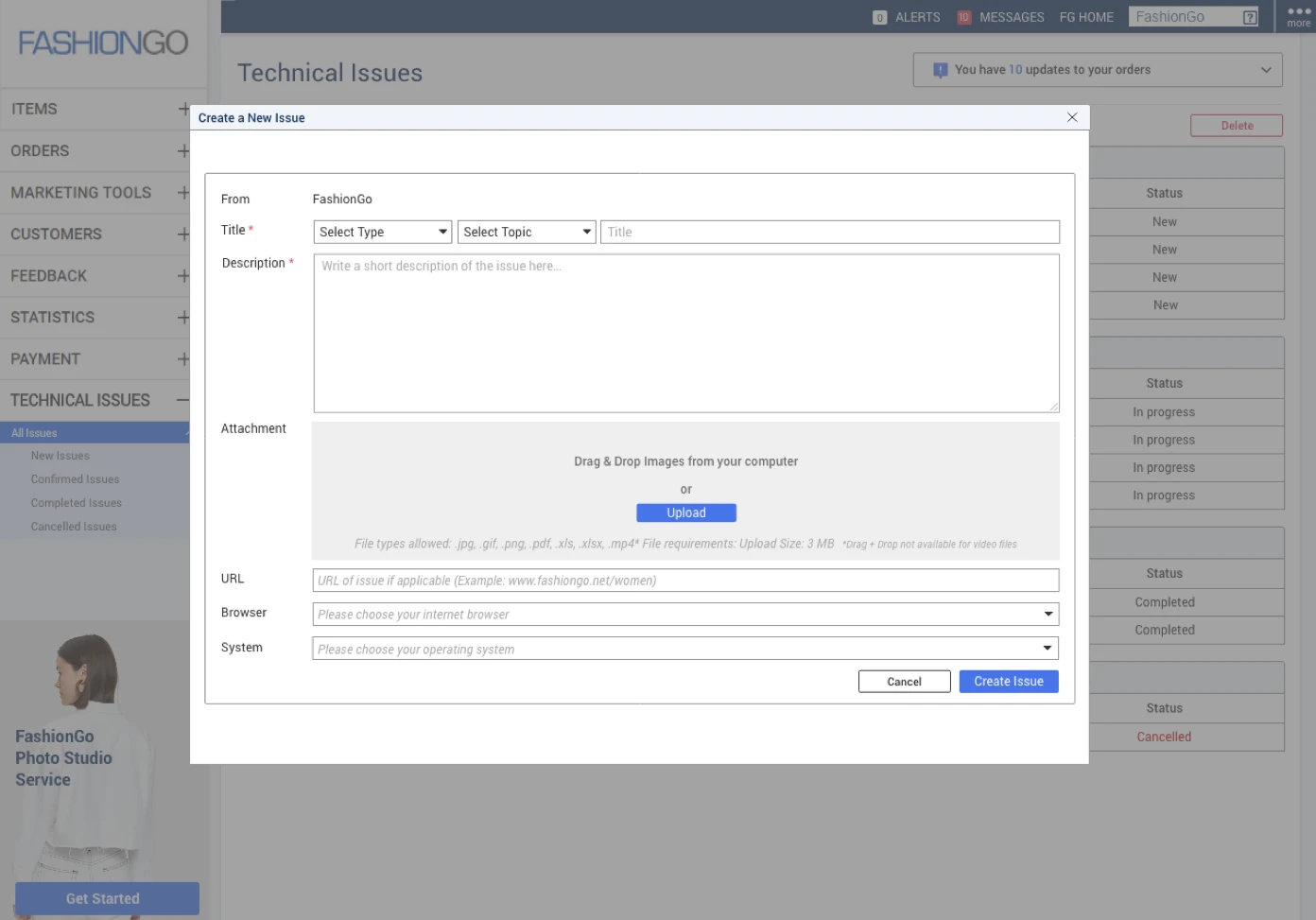
Creating an issue captured the problem, environment details, and supporting files.
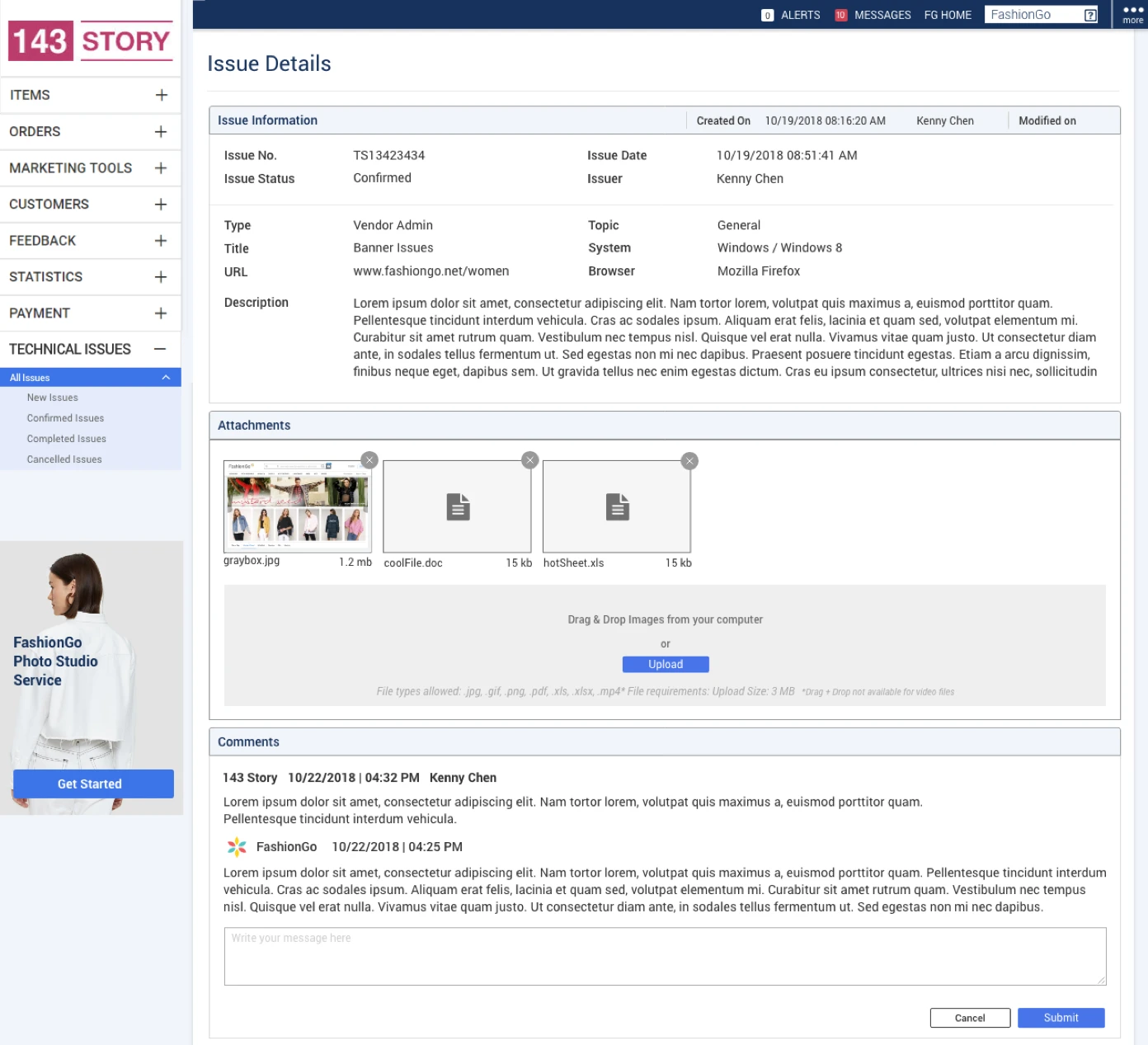
The detailed record brought attachments, conversation, and issue status into one view.
Designing the internal workflow
Body
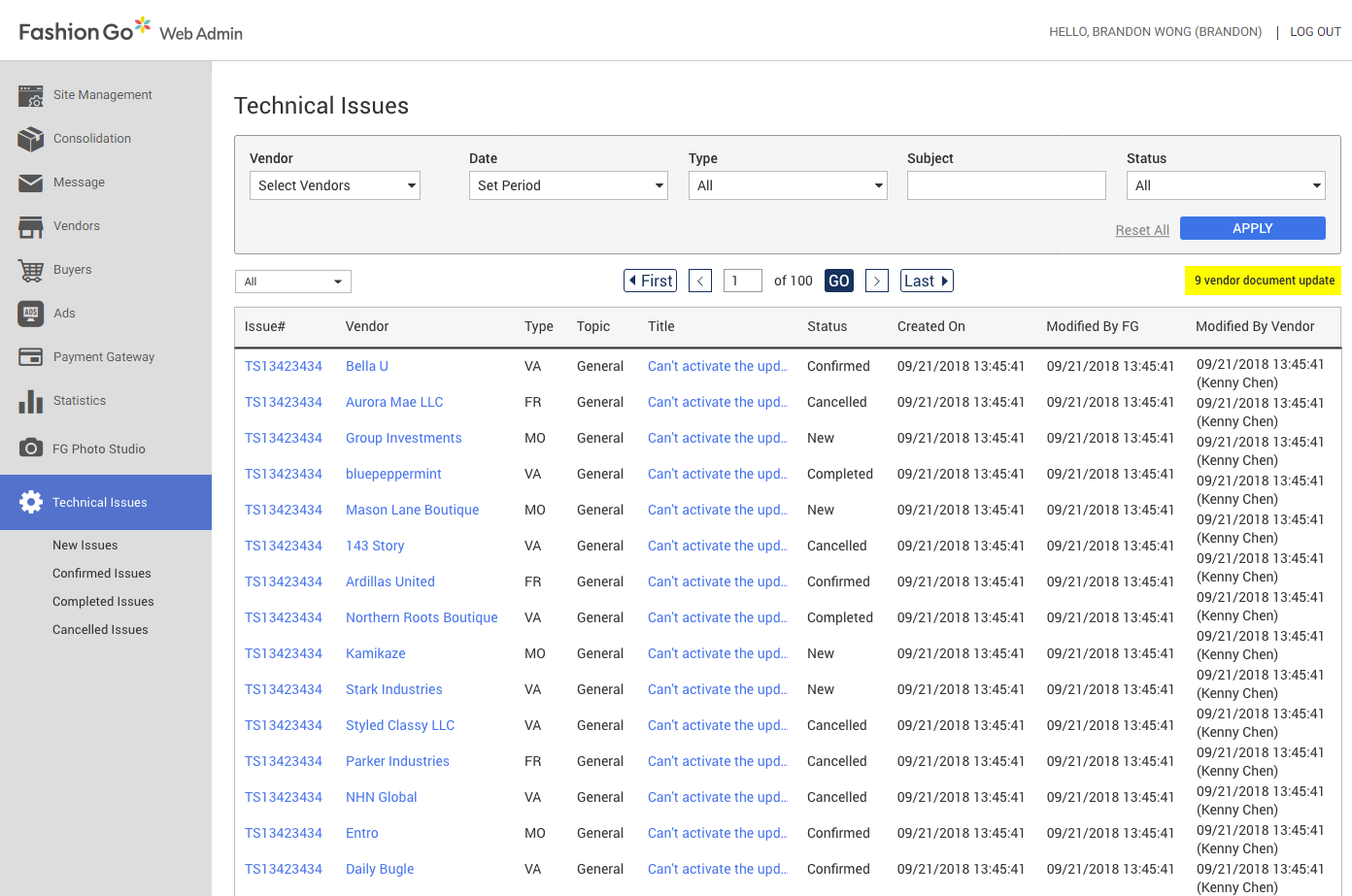
The Web Admin queue surfaced issue status, creation and modification details, and vendor context for internal review.

The detailed view supported internal review, communication, status management, and attachments.
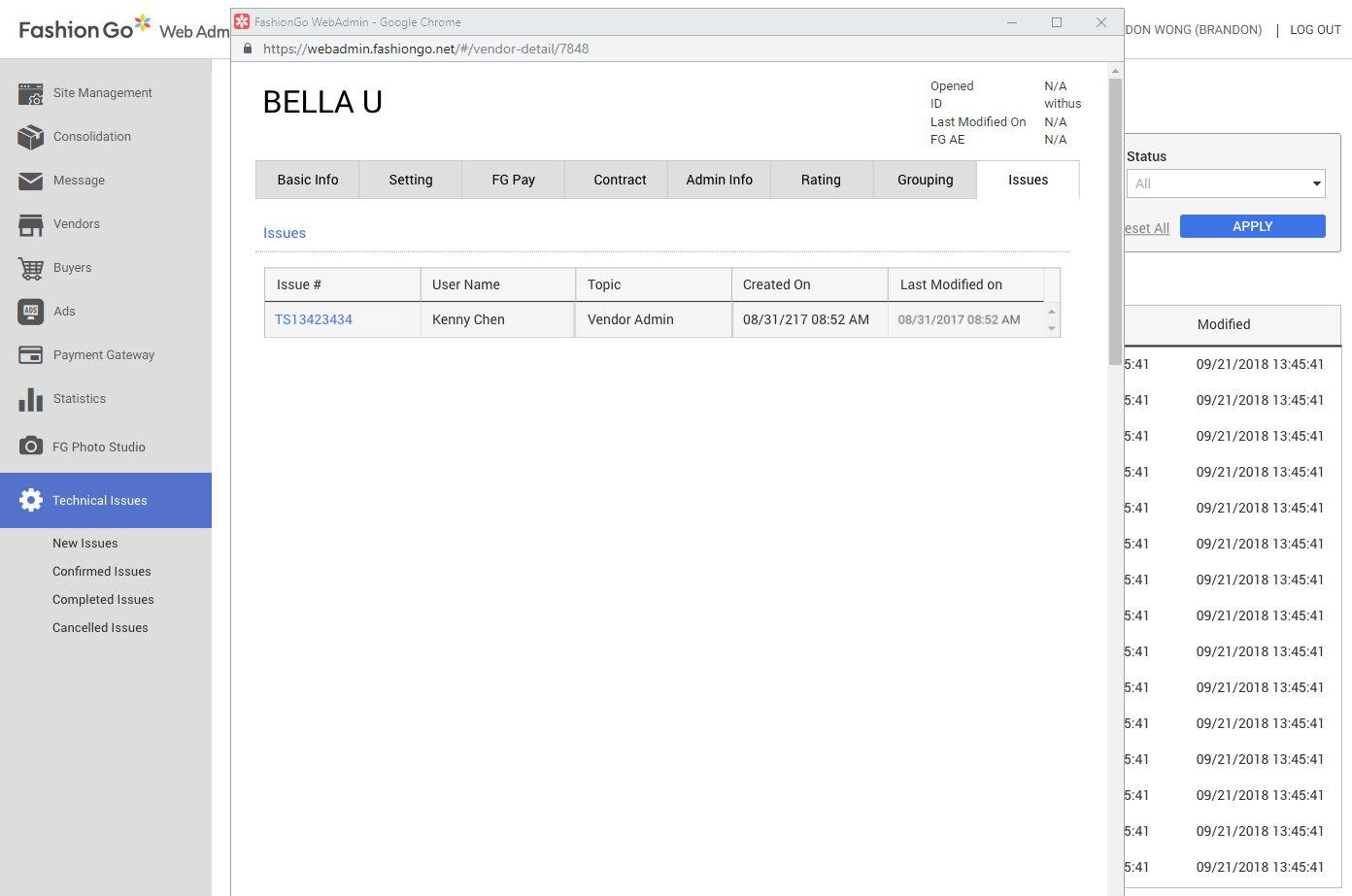
Technical issues were also visible within the vendor record, keeping related account context nearby.
Bringing the workflow together
The final designs connected both sides of the reporting experience, giving vendors a way to report and track technical issues while giving FashionGo’s internal team the tools to manage them. I delivered the final designs and specifications to development, bringing the new workflow from the initial process map through to implementation-ready screens.